UNITEK AR-V1311 KVM Switch 2 Monitors 2 Computers – 4K@60Hz HDMI and DisplayPort Dual Monitor, 5Gbps USB 3.0, Desktop Controller, Plug and Play for Desktop Computers (Black) ₨ 40,000
Description

UNITEK AR-V1311 KVM Switch – The Ultimate Dual Monitor Solution for Two Computers

The UNITEK AR-V1311 KVM Switch is designed for users who need to manage two desktop computers on a dual-monitor setup. UNITEK P1132ABK01-EU Rexo 140W 4-Port GaN Fast Charger with Smart Display, 3 USB-C + USB-A, PD 3.0, PPS, QC4+, AVS, EU Plug – Black With 2-in-2-out connectivity, you can connect 2 desktop computers to 2 monitors and share USB devices like keyboard, mouse, printer, and hard drive. When searching for the Best Dual Monitor KVM Switch in Pakistan, this UNITEK model delivers exceptional value. Check the UNITEK AR-V1311 Price in Pakistan for the best deal.

Whether you are a professional working from home, an office worker managing multiple systems, or a gamer with two PCs, this KVM switch streamlines your workflow and eliminates the clutter of multiple keyboards, mice, and monitors.

2-In-2-Out KVM Switch for Maximum Productivity

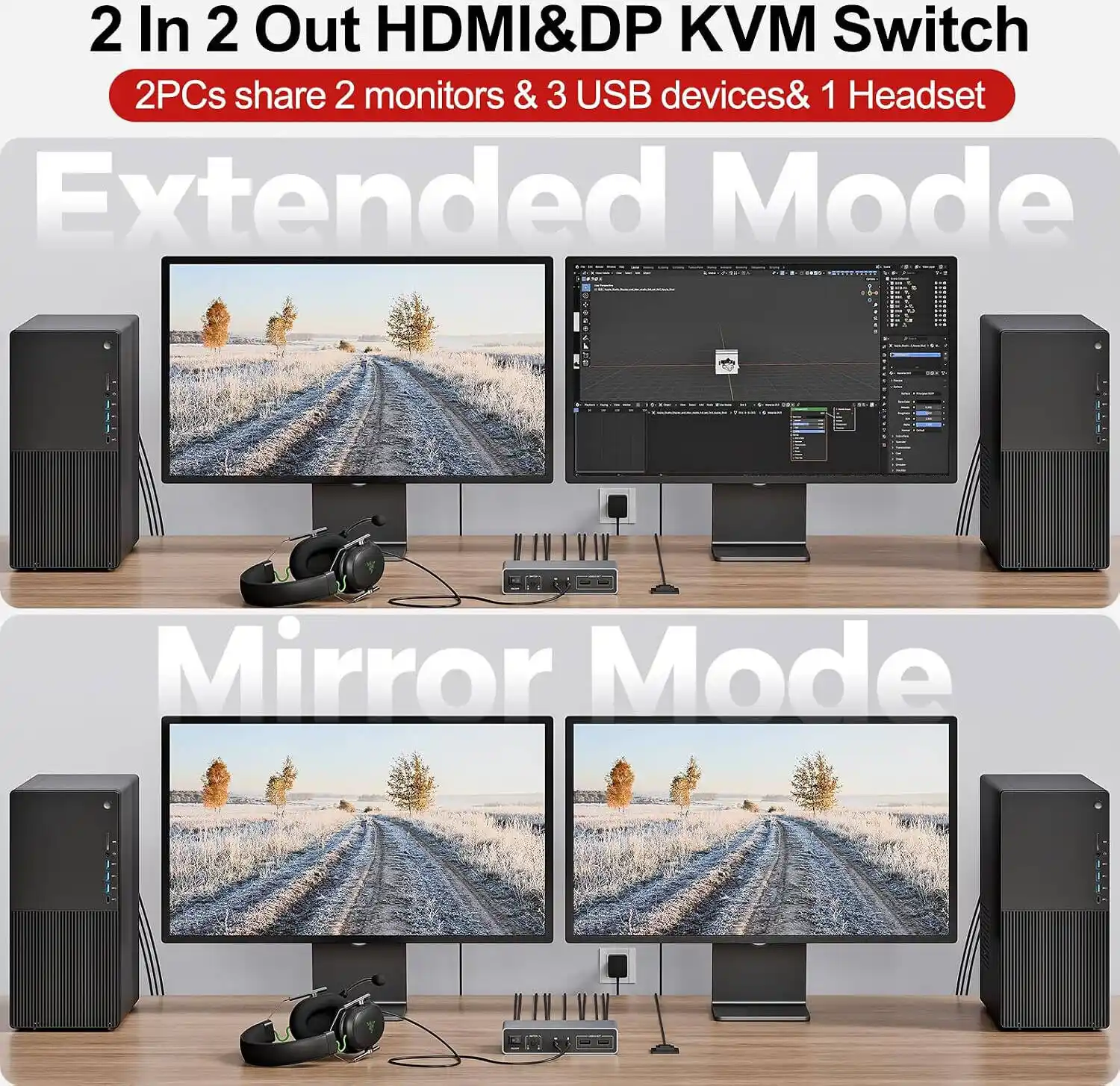
Connect 2 desktop computers to 2 monitors and share USB devices like keyboard, mouse, printer, and hard drive. This means you can control both computers from a single keyboard and mouse while using two monitors to display content from either computer.

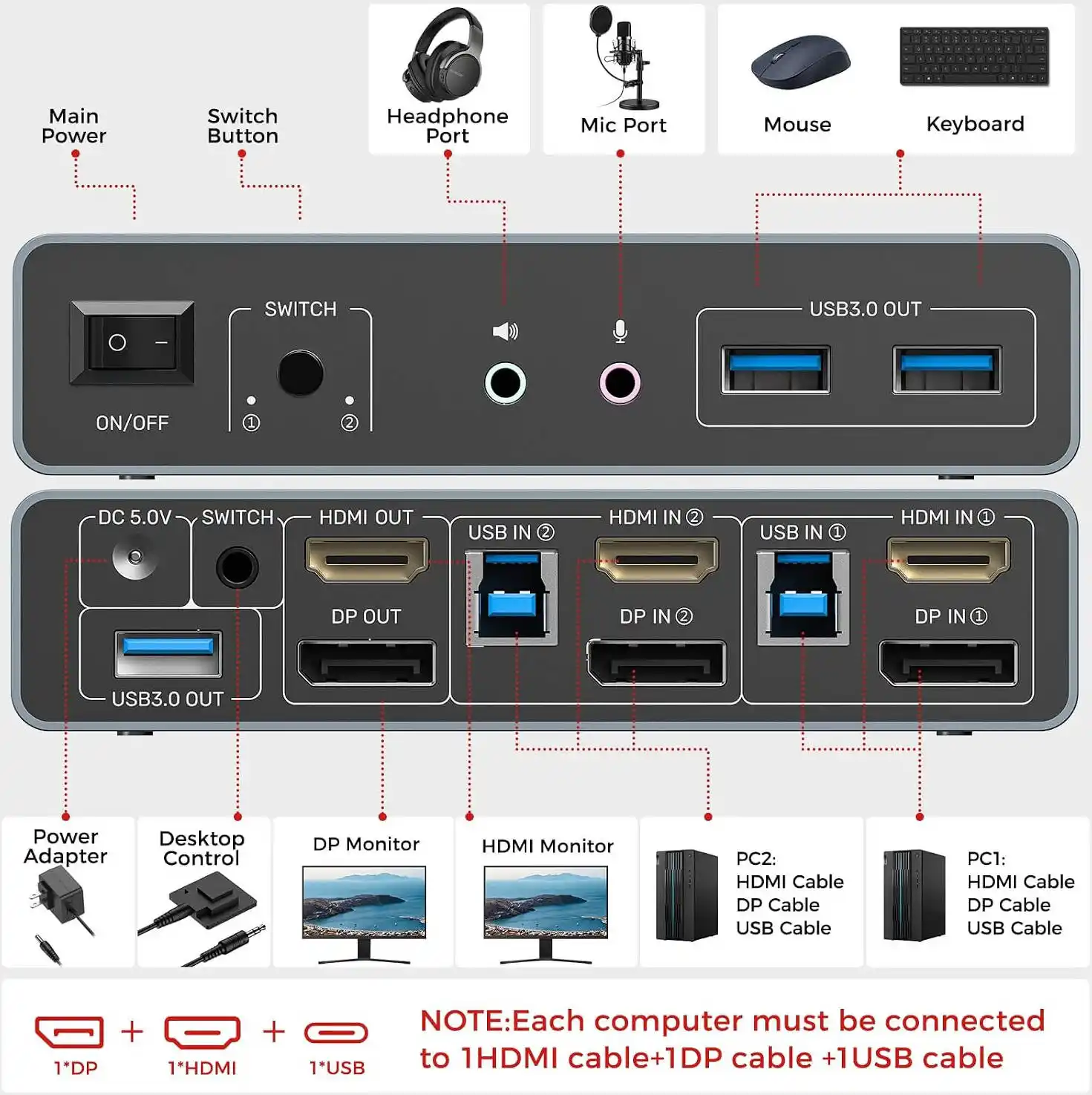
  • Computer 1: Connected via HDMI and DisplayPort, sharing two monitors
  • Computer 2: Connected via HDMI and DisplayPort, sharing two monitors
  • Shared Peripherals: Keyboard, mouse, printer, external hard drive, and other USB devices

This setup is ideal for:

  • Work-from-Home Professionals: Switch between work and personal computers seamlessly
  • Office Workers: Manage two workstations from a single desk
  • Gamers and Streamers: Control a gaming PC and a streaming PC simultaneously
  • Content Creators: Use one computer for editing and another for rendering

4K@60Hz Support for Stunning Visuals

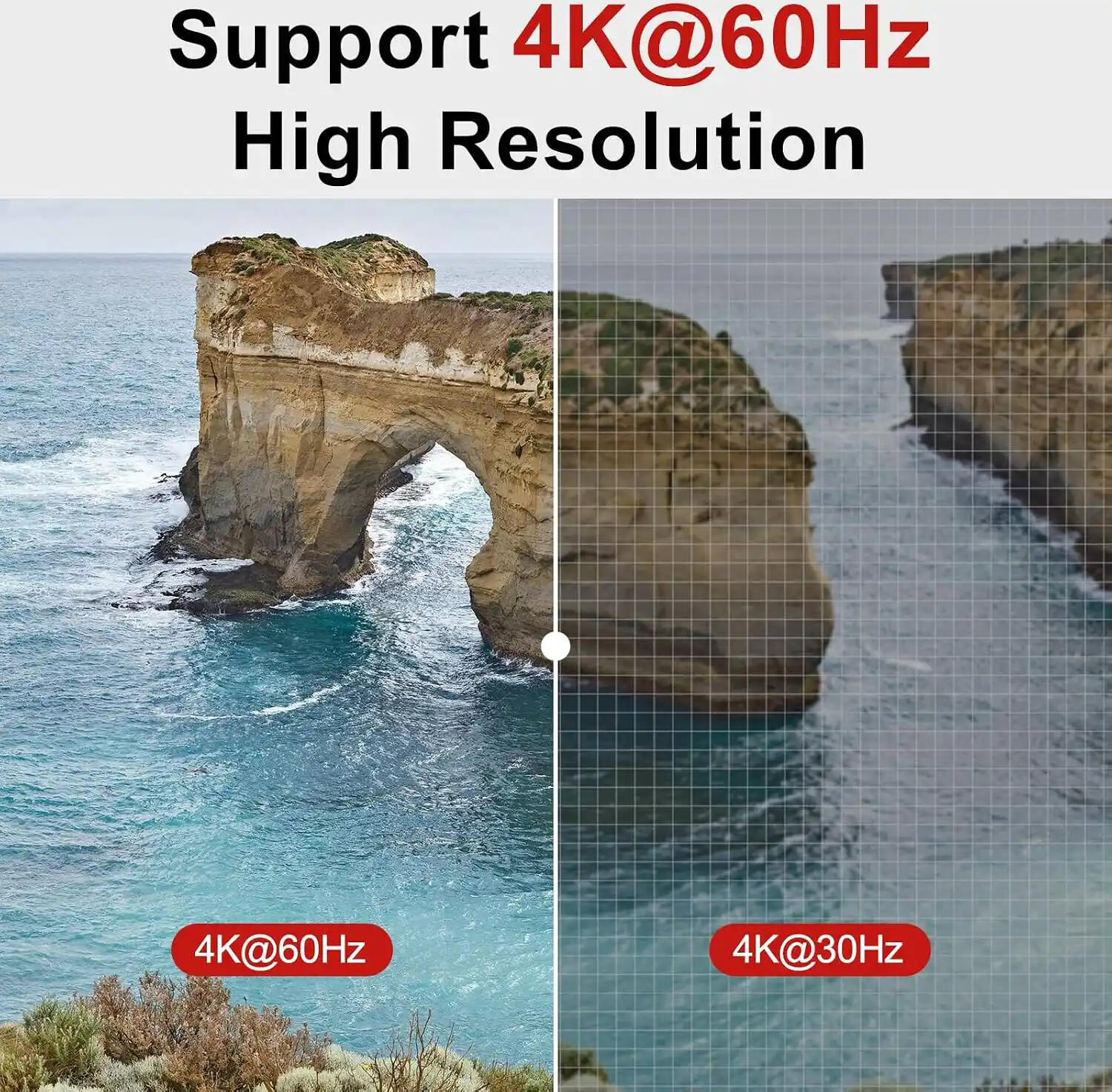
Supports up to 4K@60Hz, 2K, 1080P, and 3D for clear and smooth video quality. Whether you are editing high-resolution video, designing graphics, or enjoying immersive gaming, this KVM switch ensures every detail is crisp and clear.

The HDMI 2.0 and DisplayPort support, combined with HDCP 2.2/1.4 and HDR, delivers high-quality video output with vibrant colors, deep contrast, and smooth motion. You get the best possible picture quality on both monitors, regardless of which computer is active.

Easy Switching with Front Button or Desktop Controller

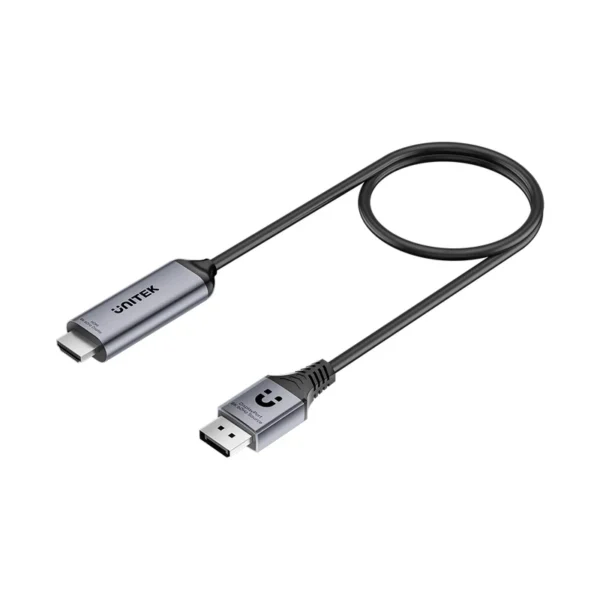
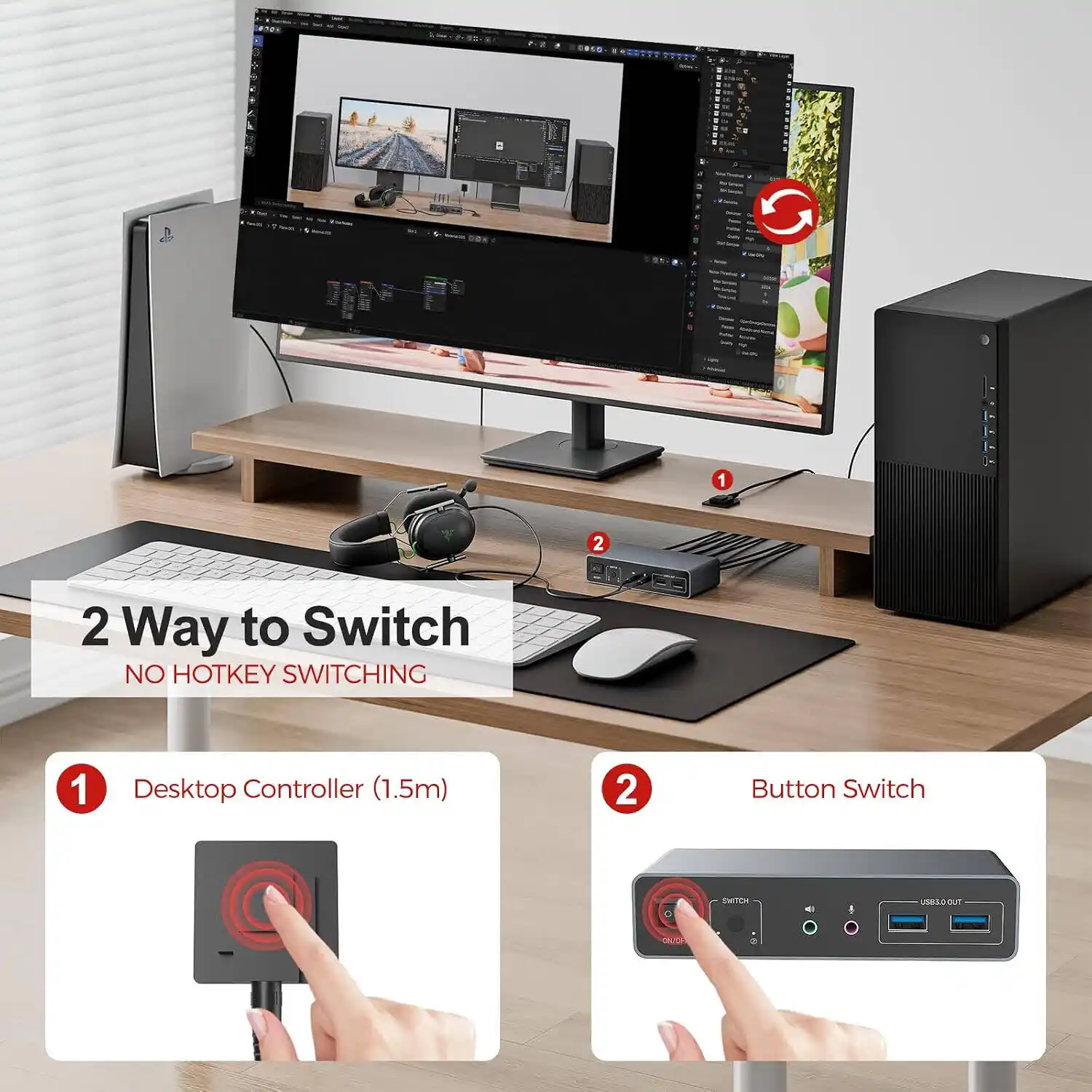
Switch between 2 computers using the front button or the included wired desktop controller. UNITEK V1616AGY01 8K DisplayPort 1.4 to HDMI 2.1 Cable – 8K@60Hz, 12Gbps High-Bandwidth, HDR and DSC Support, 3D Audio, Aluminum Housing, Plug-and-Play for Gaming and Professional Workflows (Space Grey) The desktop controller can be placed conveniently on your desk, giving you instant access to switch control without reaching behind your monitor or under your desk.

This thoughtful design makes multitasking seamless. Switch between your work computer and personal computer with a single press. The switching is fast and responsive, with no lag or delay, so you can stay in your workflow without interruption.

5Gbps USB 3.0 for Fast Data Transfer

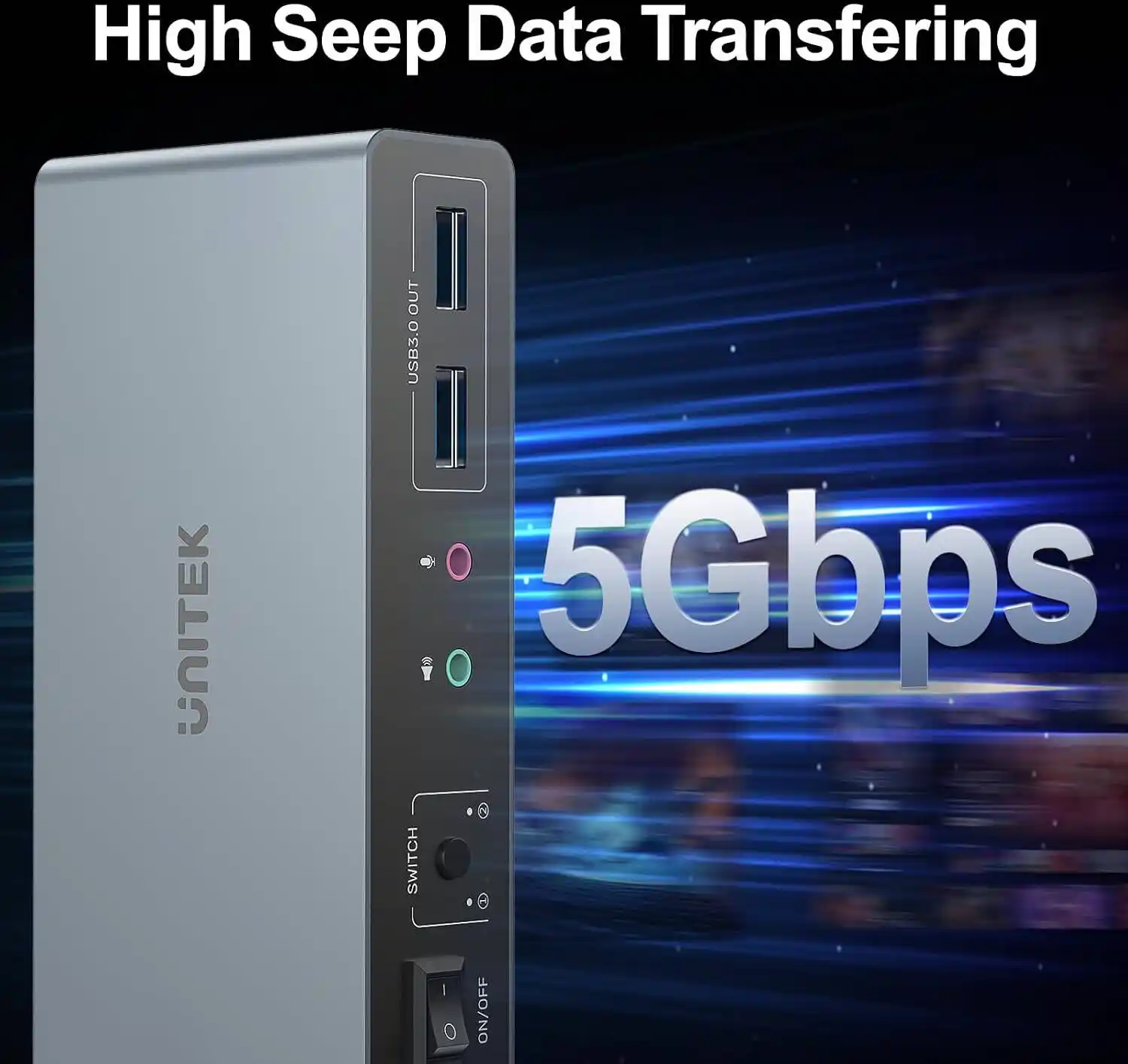
Provides fast data transfer up to 5Gbps and supports USB 2.0 devices. Connect USB peripherals like flash drives, external hard drives, printers, and more, all shared between your two computers.

The 5Gbps transfer speed ensures quick file transfers, so you can move large files between your computers and external drives without frustrating delays. All connected USB devices are shared between both computers, eliminating the need to purchase separate peripherals for each system.

HDMI and DisplayPort Support for Maximum Compatibility

Supports HDMI 2.0, HDCP 2.2/1.4, and HDR for high-quality video output. The combination of HDMI and DisplayPort connections ensures compatibility with a wide range of monitors and graphics cards.

  • HDMI 2.0: Supports 4K@60Hz, HDR, and HDCP 2.2
  • DisplayPort: Supports high-resolution video and multi-monitor setups
  • HDCP 2.2/1.4: Compliant for secure content streaming and protected media

Plug and Play with Everything Included

No driver installation is required. UNITEK U1343AGY01 USB-C to 5Gbps Ethernet Adapter, USB-C to RJ45 LAN Converter, 5GBASE-T, 2.5GbE, Aluminum Alloy, 15cm – Space Grey The KVM switch comes with everything you need to get started:

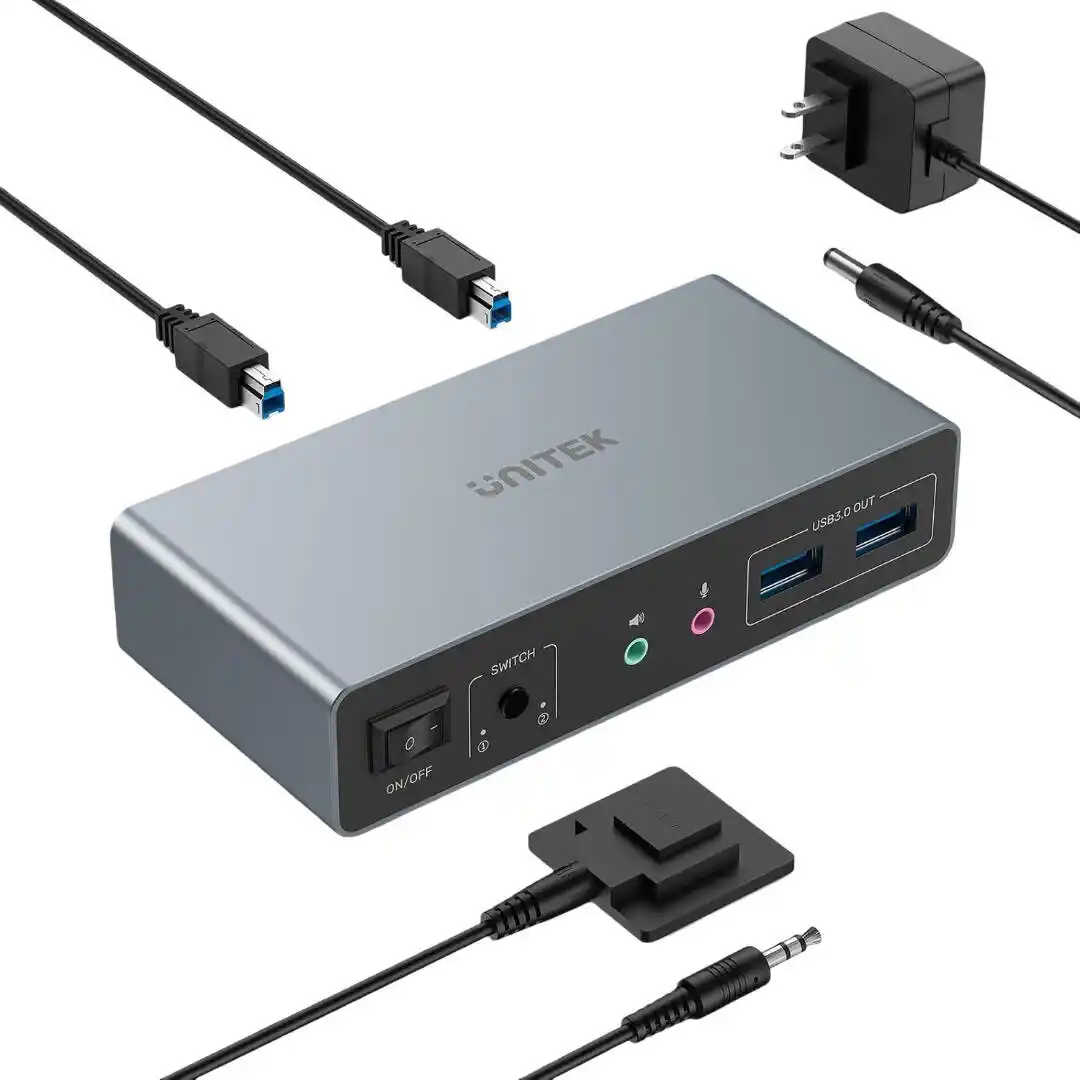
  • 5V/2A Power Adapter: Ensures stable operation
  • 2 x USB-A to USB-B Cables: For connecting computers to the KVM switch
  • 1 x Desktop Controller: For easy switching

Important Note: This KVM switch is designed for desktop computers only and is NOT COMPATIBLE WITH LAPTOPS. It requires a dedicated HDMI and DisplayPort output from each computer.

Why Choose UTech for Your Purchase

When you buy the UNITEK AR-V1311 from UTech, you get the genuine article with full manufacturer support. We are an authorized retailer of UNITEK products in Pakistan, which means our stock comes directly from UNITEK’s manufacturing facilities. Every unit undergoes rigorous quality control testing before reaching you.

We stand behind every product with responsive customer service and hassle-free warranty claims. Check the UNITEK AR-V1311 Price in Pakistan on our store for the best deal, and take advantage of our fast delivery to get your KVM switch within days.

For users who need even more connectivity solutions, consider exploring other UNITEK products and accessories available at UTech to find the perfect match for your specific requirements.

Products Specifications

  • Brand: UNITEK
  • Model: AR-V1311
  • Product Type: KVM Switch 2 Monitors 2 Computers
  • Input Connections: 2 x HDMI, 2 x DisplayPort, 2 x USB-B (for computers)
  • Output Connections: 2 x HDMI, 2 x DisplayPort (for monitors)
  • USB Ports: 4 x USB-A 3.0 (5Gbps) for peripherals
  • Maximum Resolution: 4K@60Hz
  • Backward Compatible: 2K, 1080P, 3D
  • Video Standards: HDMI 2.0, DisplayPort, HDCP 2.2/1.4, HDR
  • USB Data Transfer Speed: Up to 5Gbps (USB 3.0), backward compatible with USB 2.0
  • Switching Method: Front button or wired desktop controller
  • Power Input: 5V/2A (power adapter included)
  • Included Accessories: 5V/2A Power Adapter, 2 x USB-A to USB-B Cables, 1 x Desktop Controller
  • Setup: Plug and Play (no driver installation required)
  • Compatibility: Desktop computers only (NOT COMPATIBLE WITH LAPTOPS)
  • Color: Black
  • Warranty: Full Manufacturer Warranty

Important Compatibility Notes:

  • This KVM switch is designed for desktop computers only and is NOT COMPATIBLE WITH LAPTOPS.
  • Each computer requires one HDMI and one DisplayPort output for dual monitor support.
  • For optimal 4K@60Hz performance, use high-quality HDMI and DisplayPort cables.
  • The included USB-A to USB-B cables connect the computers to the KVM switch for USB peripheral sharing.

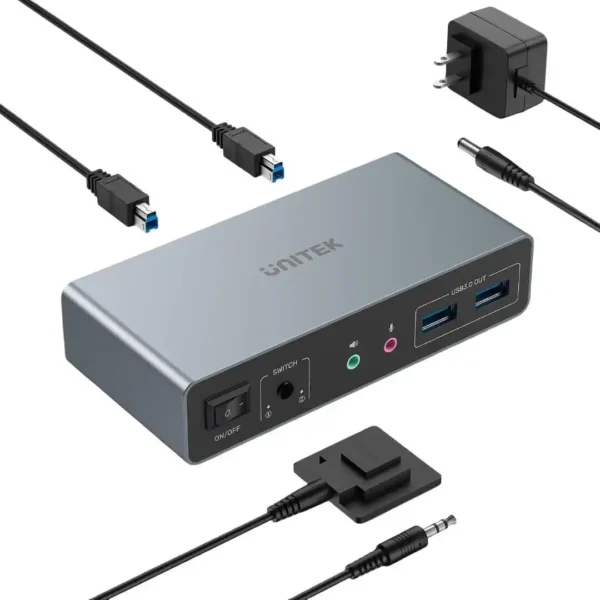
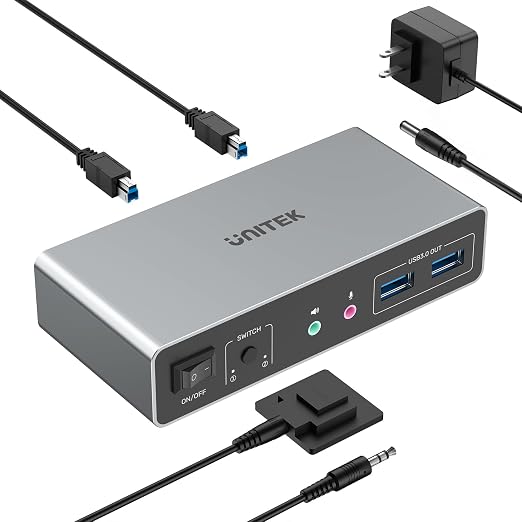
What’s in the Box

  • 1 x UNITEK AR-V1311 KVM Switch
  • 1 x 5V/2A Power Adapter
  • 2 x USB-A to USB-B Cables
  • 1 x Wired Desktop Controller
  • 1 x User Manual

Frequently Asked Questions

Q1: What is the difference between this KVM switch and a standard KVM switch?

A: This KVM switch supports dual monitors (2 monitors, 2 computers), while standard KVM switches typically support a single monitor. It also includes both HDMI and DisplayPort connections for maximum compatibility.

Q2: Does this KVM switch support 4K@60Hz?

A: Yes, it supports up to 4K@60Hz resolution, as well as 2K, 1080P, and 3D. UNITEK P1131ABK01-EU Rexo 100W 4-Port GaN Fast Charger with Smart Display, 3 USB-C + USB-A, PD 3.0, PPS, AVS, QC4+, EU Plug – Black It also supports HDMI 2.0, HDCP 2.2/1.4, and HDR for high-quality video output.

Q3: Can I use this KVM switch with laptops?

A: No, this KVM switch is designed for desktop computers only and is NOT COMPATIBLE WITH LAPTOPS. It requires a dedicated HDMI and DisplayPort output from each computer.

Q4: How do I switch between the two computers?

A: You can switch between the two computers using the front button on the KVM switch or the included wired desktop controller. The desktop controller can be placed on your desk for easy access.

Q5: What USB devices can I connect?

A: You can connect USB peripherals like keyboard, mouse, printer, external hard drive, flash drive, and more. The USB 3.0 ports support data transfer speeds up to 5Gbps and are backward compatible with USB 2.0 devices.

Q6: Does this KVM switch require external power?

A: Yes, it comes with a 5V/2A power adapter for stable operation. The power adapter is included in the box.

Q7: Is this KVM switch plug-and-play?

A: Yes, it requires no driver installation. Simply connect your computers, monitors, and peripherals, power it on, and start using it immediately.

Q8: What cables are included in the box?

A: The package includes a 5V/2A power adapter, 2 USB-A to USB-B cables, and 1 desktop controller. HDMI and DisplayPort cables are not included.

Q9: Can I use this KVM switch for gaming?

A: Yes, it supports 4K@60Hz and fast USB 3.0 data transfer, making it suitable for gaming setups. However, for competitive gaming where every millisecond matters, a direct connection may be preferable.

Q10: Where can I buy this KVM switch in Pakistan?

A: The UNITEK AR-V1311 is available at UTech, your trusted source for genuine UNITEK products in Pakistan with fast delivery nationwide and full warranty support.
Reviews
REAL CUSTOMER FEEDBACK

Customer Reviews

Ratings and experiences shared by customers.

0.0★★★★★0 reviews
5 ★
0
4 ★
0
3 ★
0
2 ★
0
1 ★
0

No reviews match this filter yet.

Share your experience

Rate this product and help other customers make an informed choice.

Write a review

Please complete all the fields below to tell us about your experience with this product.

Your rating *
Select 1 to 5 stars


Specification

Discover ultimate workstation productivity with the UNITEK AR-V1311 Dual Monitor KVM Switch. Engineered to connect two desktop computers to dual monitors and share up to four high-speed USB 3.0 peripherals, this advanced KVM switch supports stunning 4K@60Hz video resolution. Featuring both HDMI and DisplayPort connectivity, effortless desktop switching, and robust plug-and-play capability, it is the premier solution for streamlining multi-computer setups.

⚡ Features & Specs
Connector TypeHDMI 2.0, DisplayPort, USB-B, USB-A
Compatible DevicesDesktop Computers
Input Voltage5V
Amperage2A
Wattage10W
Output Current2A
Power SourceExternal Power Adapter
Current Rating2A
Power PlugStandard Adapter Plug
Connectivity TechnologyHDMI, DisplayPort, USB 3.0
Special FeaturesDual Monitor Support, 4K@60Hz, 5Gbps USB Sharing, Desktop Controller
MaterialDurable Plastic and Metal Housing
ColorBlack
Max Resolution4K@60Hz
Backward Compatible Resolutions2K, 1080P, 3D
Video StandardsHDMI 2.0, DisplayPort, HDCP 2.2/1.4, HDR
USB Data Transfer SpeedUp to 5Gbps
USB VersionUSB 3.0 (Backward compatible with USB 2.0)
Input Connections2 x HDMI, 2 x DisplayPort, 2 x USB-B
Output Connections2 x HDMI, 2 x DisplayPort
USB Ports4 x USB-A 3.0
Switching MethodFront Panel Button, Wired Desktop Controller
Setup TypePlug and Play
Driver RequirementNone Required
Audio SupportHigh-Definition Digital Audio Pass-through
HDCP ComplianceHDCP 2.2 and 1.4 Compliant
HDR SupportHigh Dynamic Range (HDR)
Indicator LightsLED Active Channel Indicators
Cable ManagementWired Desktop Controller Extension
Operating System SupportWindows, macOS, Linux (Desktop environments)
📋 Item details
BrandUNITEK
Model NumberAR-V1311
SKUAR-V1311
MFN Part NumberAR-V1311
ManufacturerUNITEK
CategoriesNew UNITEK
TagsUNITEK AR-V1311, Dual Monitor KVM Switch, 4K KVM Switch
Country of OriginChina
Item Model NumberAR-V1311
📏 Measurements
Number of Items1 Unit with Accessories
Item WeightStandard KVM Switch Weight Class
Unit Count1
Product DimensionsStandard Desktop Form Factor
Package DimensionsRetail Box Packaging
🎨 Additional details
ColorBlack
Enclosure MaterialRugged Composite and Metallic Shielding
Form FactorDesktop Switch Box
StyleModern Professional Hardware
ThemeWorkspace Productivity & Automation
Finish TypeMatte Black Finish
📖 User guide
Usage InstructionsConnect dual video outputs from each computer to the KVM inputs, connect monitors to KVM outputs, plug in USB peripherals, and attach the power adapter. Use the front button or desktop controller to switch sources.
InstallationPlug and Play setup; connect cables securely and power on the unit. No software drivers needed.
Care InstructionsKeep away from moisture, extreme heat, and dust. Clean with a dry, soft cloth.
Safety WarningsUse only the included 5V/2A power adapter. Do not expose to liquids or open flames.
MaintenancePeriodically check cable connections to ensure stable video and data transmission.
CertificationCE, FCC, RoHS Compliant
Compatibility NotesDesigned exclusively for desktop computers. Not compatible with laptops. Each computer must feature both HDMI and DisplayPort outputs.
Operating Temperature0°C to 40°C (32°F to 104°F)
🎯 Use Cases
Best ForManaging two desktop computers on a dual-monitor workstation
Ideal ScenariosWork-from-home setups, office multitasking, dual PC gaming and streaming
Target AudienceProfessionals, office workers, multi-system power users, content creators
Compatible WithDesktop computers with HDMI and DisplayPort outputs
Not Recommended ForLaptop computers or systems lacking dedicated dual video outputs
⚖️ Pros & Cons

Pros

  • Supports 2 computers sharing 2 monitors simultaneously
  • Stunning 4K@60Hz video resolution with HDR and HDCP support
  • High-speed 5Gbps USB 3.0 peripheral sharing
  • Includes convenient wired desktop controller for quick switching
  • True plug-and-play installation with no drivers required

Cons

  • Not compatible with laptops
  • Requires dedicated HDMI and DisplayPort outputs per computer
  • High-speed video cables must be purchased separately
📦 Box Contents
Main Unit1 x UNITEK AR-V1311 KVM Switch
Cables2 x USB-A to USB-B Cables
Adapters1 x 5V/2A Power Adapter
Documentation1 x User Manual
Warranty CardIncluded with manufacturer support documentation
Other Accessories1 x Wired Desktop Controller
🛡️ Warranty & Support
Warranty PeriodFull Manufacturer Warranty
Warranty TypeOfficial Manufacturer Warranty Support
CoverageDefects in materials and workmanship under normal use
Support ContactAvailable via customer service and retail partner
Return PolicyStandard hassle-free return and replacement policy
Customer Service HoursStandard business hours support
Service LocationsAuthorized service centers and nationwide delivery support
FAQs
PRODUCT SUPPORT

Frequently Asked Questions

11 answers
01Can I use the UNITEK AR-V1311 KVM Switch with laptops?

No, this KVM switch is designed exclusively for desktop computers and is not compatible with laptops. Each connected computer must feature dedicated HDMI and DisplayPort outputs.

02What video resolutions are supported by the UNITEK AR-V1311?

It supports a maximum video resolution of up to 4K at 60Hz, along with backward compatibility for 2K, 1080P, and 3D video formats.

03What switching methods are available on this dual-monitor KVM switch?

You can easily switch between your two connected computers using either the physical front panel button or the included wired desktop controller.

04Do I need to install any software drivers to set up this KVM switch?

No driver installation is required. The unit features true plug-and-play operation; you simply connect your video and USB cables along with the power adapter to begin using it.

05What is the data transfer speed of the built-in USB ports?

The KVM switch provides USB 3.0 ports that support fast data transfer speeds up to 5Gbps, while also maintaining backward compatibility with older USB 2.0 devices.

06What video standards and protection protocols does the AR-V1311 support?

It supports HDMI 2.0, DisplayPort, HDR, and HDCP 2.2 or 1.4 compliance for secure content streaming and high-quality video output.

07What power supply requirements does this KVM switch use?

The device operates using an external power source and comes with an included 5V/2A power adapter that ensures stable operation.

08What video outputs must each computer have to work with this switch?

Each connected desktop computer requires both an HDMI output and a DisplayPort output to properly support the dual-monitor configuration.

09What items are included in the retail box with the KVM switch?

The box includes the main UNITEK AR-V1311 KVM switch unit, a 5V/2A power adapter, two USB-A to USB-B cables, a wired desktop controller, and a user manual.

10Can I connect shared USB peripherals like keyboards, mice, and hard drives?

Yes, it features four USB-A 3.0 ports that let you share peripherals such as keyboards, mice, external hard drives, and printers between your two connected computers.

11Where can I buy UNITEK AR-V1311 KVM Switch 2 Monitors 2 Computers – 4K@60Hz HDMI and DisplayPort Dual Monitor, 5G... (SKU: AR-V1311) and what is its price?
You can purchase UNITEK AR-V1311 KVM Switch 2 Monitors 2 Computers – 4K@60Hz HDMI and DisplayPort Dual Monitor, 5G... (SKU: AR-V1311) directly from UNITEK Pakistan. Price is ₨ 40,000. Visit the product page here: UNITEK Pakistan

Compare Similar Products

⚖At a glanceEvery detail that matters, in one place.
L1 CURRENT PRODUCT UNITEK AR-V1311 KVM Switch 2 Monitors 2 Computers – 4K@60Hz HDMI and DisplayPort Dual Monitor, 5Gbps USB 3.0, Desktop Controller, Plug and Play for Desktop Computers (Black) Explore product M1 SIMILAR PRODUCT UNITEK V1312 HDMI KVM Switch for 2 Monitors and 2 Computers – 4K@144Hz, 4x USB 3.0 Ports (5Gbps), Microphone and Headphone Ports, Desktop Controller, Plug and Play for Windows, Mac, Linux, PS4, and More (Black) Explore product I1 SIMILAR PRODUCT UNITEK V1439ABK01 USB-C to HDMI 4K@60Hz Cable with PD 100W – HDR and DSC Support, 1080P@144Hz Gaming, 2 Meter Length, Plug-and-Play for Nintendo Switch and USB-C Devices (Black) Explore product G1 SIMILAR PRODUCT UNITEK V1404A USB-C to Dual DisplayPort Adapter – 8K@60Hz or Dual 4K@60Hz, MST and SST Support, HDCP 2.2, HDR, Plug-and-Play for Gamers and Professionals (Silver) Explore product H1 SIMILAR PRODUCT UNITEK V1441AGY01 16K USB-C to DisplayPort Bi-Directional Cable – 80Gbps Bandwidth, 16K@60Hz with DSC, 8K@120Hz, 4K@240Hz, Aluminum Alloy, Plug-and-Play for Gaming and Content Creation (Space Grey) Explore product E1 SIMILAR PRODUCT UNITEK V1616AGY01 8K DisplayPort 1.4 to HDMI 2.1 Cable – 8K@60Hz, 12Gbps High-Bandwidth, HDR and DSC Support, 3D Audio, Aluminum Housing, Plug-and-Play for Gaming and Professional Workflows (Space Grey) Explore product
Price ₨ 40,000₨ 36,000₨ 8,400₨ 25,600₨ 13,500₨ 17,600
Customer Rating No ratings yetNo ratings yetNo ratings yetNo ratings yetNo ratings yetNo ratings yet
Availability

Available in stock

Available in stock

Available in stock

Available in stock

Available in stock

Available in stock

SKU AR-V1311AR-V1312V1439ABK01V1404AV1441AGY01V1616AGY01
Power Source External Power AdapterExternal DC Power AdapterUSB-C Power Adapter (External)Bus-powered (No external power required)Bus PoweredBus Powered (Powered via DisplayPort source)
Power Plug Standard Adapter PlugDC 5V/2A Power AdapterNot Applicable (Cable Only)USB-C Type-C Connector—Not Applicable
Wattage 10W10WUp to 100W PD ChargingPower-efficient passive design—Not Applicable
HDR Support High Dynamic Range (HDR)YesHigh Dynamic Range EnabledYesHigh Dynamic Range Video TransmissionDynamic and Static HDR Metadata
Audio Support High-Definition Digital Audio Pass-through—Multi-channel Digital Audio Transmission8-Channel Surround Sound AudioMulti-channel Digital Audio TransmissionMulti-Channel 3D Audio Formats
USB Data Transfer Speed Up to 5GbpsUp to 5Gbps (USB 3.0), backward compatible with USB 2.0————
Compatible Devices Desktop ComputersPCs, Laptops, Mac, Linux Systems, PS4, Nintendo Switch, External Hard DrivesNintendo Switch, MacBook Pro, MacBook Air, Dell XPS, HP Spectre, Lenovo ThinkPad, iPad Pro, Samsung Galaxy, Steam Deck, and USB-C devices with DP Alt ModeLaptops, Desktops, MacBooks, Tablets, Steam DeckUSB-C Laptops, Smartphones, Tablets, Desktops, Graphics Cards, DisplayPort Monitors, Portable Displays8K TVs, 4K TVs, Monitors, Projectors, Graphics Cards, Laptops, Desktops